Hetzner Cloud & Storage Box: A Technical Review
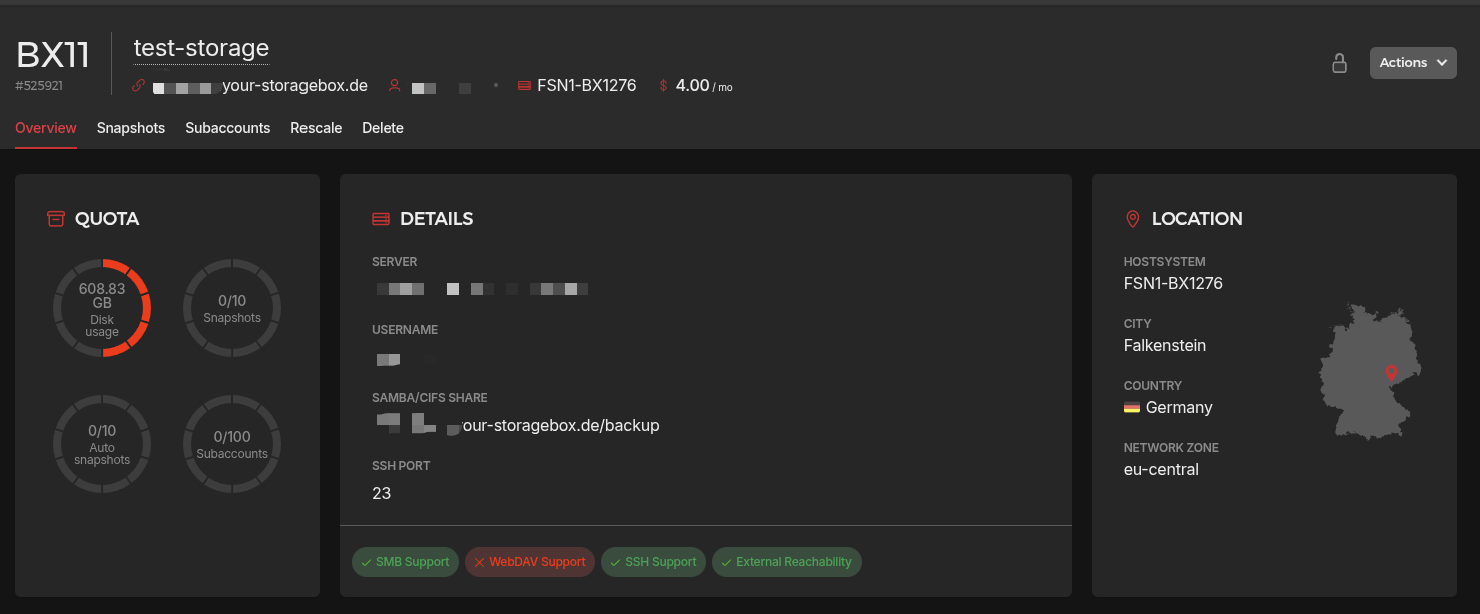
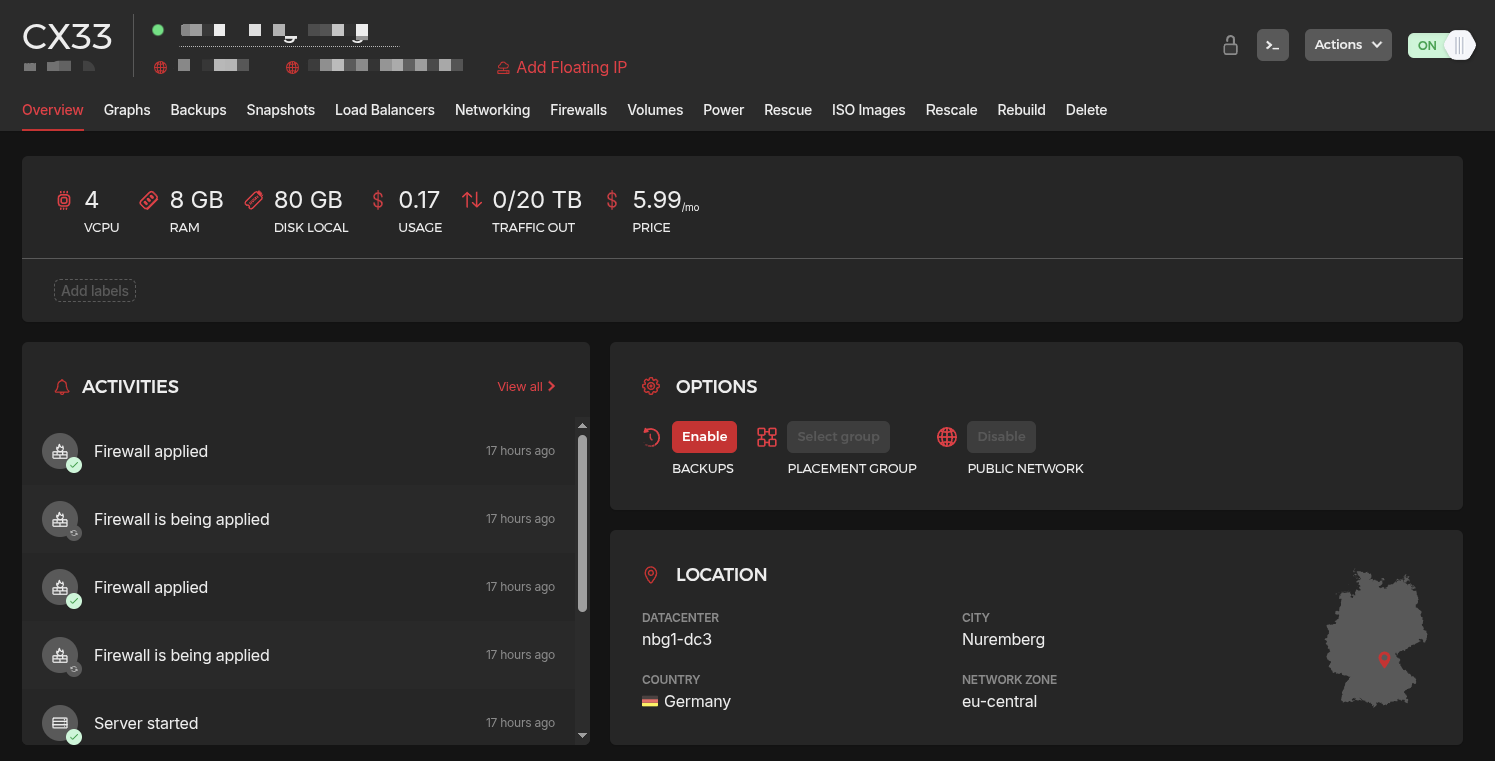
Hetzner is a frequent recommendation for hosting applications or setting up a high-performance “homelab” in the cloud. They are known for exceptional price-to-performance ratios and a solid reputation for reliability. In this review, I evaluate the Hetzner Storage Box (BX11)($4 dollars per month) and the Cloud Server (CX33)($6.59/month), focusing on real-world bandwidth, latency, and hardware performance.
Compute & Disk Performance
Using the Yet-Another-Bench-Script (YABS) on a CX33 instance (4 vCPU AMD EPYC, 8GB RAM), I verified the machine’s baseline capabilities.
Disk I/O:The NVMe storage is excellent, reaching 3.27 GB/s sequential throughput. This makes it ideal for database-heavy applications.Compute:A Geekbench 6 score of 1268 (Single) and 3133 (Multi) confirms it can handle modern web stacks and media transcoding (like Jellyfin) with ease.Network (Global):While internal European speeds are massive (reaching 13 Gbps in Amsterdam), trans-oceanic speeds to Los Angeles and Singapore remain stable at near-gigabit levels.
|
|
Network Throughput & Latency
A critical part of this test was comparing the connection between a Private LA Server and the Hetzner (Nuremberg) instance.
- Internal Throughput: CX33 to Storage Box (BX11)
- Cross-Continental Sync: LA to Germany
- Iperf3 Network Benchmarks
1. Internal Throughput: CX33 to Storage Box (BX11)
To test the internal “backplane” speed between the Cloud instance (Nuremberg) and the Storage Box, I used the dd utility. This measures raw disk and network performance without the overhead of complex sync logic.
Local Write & Read Performance
-
Sequential Write: 62.4 MB/s (approx. 500 Mbps)
-
Sequential Read: 544 MB/s (approx. 4.3 Gbps)
The read speeds are impressive, for media streaming (e.g., Jellyfin), the Storage Box can easily saturate a 1Gbps link. However, write speeds are significantly slower likely due to the mechanical HDD architecture and RAID overhead of the Storage Box backend.
|
|
2. Cross-Continental Sync: LA to Germany
Moving 500GB+ of data from a private Los Angeles server to Hetzner (Germany) revealed the limitations of standard sync tools over high-latency paths.
The Rclone with parallel transfers (–transfers 3) averaging 30-32 MiB/s when transfering video files.
|
|
3. Iperf3 Network Benchmark
I performed bidirectional iperf3 tests to visualize where the packet loss occurs.
| Connection Path | Direction | Bitrate (Avg) | Retransmissions (Retr) | Congestion Window (Cwnd) |
|---|---|---|---|---|
| LA Private ↔ LA Public | Upload | 176 Mbits/sec | 3 | 771 KBytes |
| Download | 507 Mbits/sec | 52 | - | |
| Hetzner ↔ LA Public | Upload | 107 Mbits/sec | 0 | 5.57 MBytes |
| Download | 122 Mbits/sec | 0 | - | |
| LA Private ↔ Hetzner | Upload | 94.4 Mbits/sec | 605 | 2.34 MBytes |
| Download | 110 Mbits/sec | 0 | - |
Performance Summary
- LA Private ↔ LA Public: This link shows the highest raw capacity (507 Mbps Download). The low latency of being in the same city allows for high burst speeds, though the 52 retransmissions suggest some minor line noise or congestion.
- Hetzner ↔ LA Public: A very “clean” transatlantic route. Despite the physical distance, 0 retransmissions and a massive 5.57 MB Congestion Window indicate a very stable, high-quality peering connection.
- LA Private ↔ Hetzner: This is the weakest link. The 605 retransmissions on the upload side indicate significant packet loss. This is likely due to a poor routing path between your specific LA provider and Hetzner’s German/Finnish data centers.
Speed between LA private server to public iperf3 server at LA
|
|
Speed between Hetzner to public LA iperf3 server
|
|
Speed between private LA to Hetzer server
|
|
IP Quality and Service Access
I conducted an IP integrity check using the IPQuality script to evaluate the reputation and “reachability” of the Hetzner CX33 network.
| Metric | IPv4 Status | IPv6 Status | Verdict |
|---|---|---|---|
| Risk Score | 3 - 6 (Low) | 0 - 6 (Extremely Low) | Safe |
| IP Type | Native / Data Center | Native / Data Center | Clean |
| IPQS Fraud Score | 75 (Suspicious) | 75 (Suspicious) | Caution |
| Port 25 (Mail) | Blocked (In/Out) | Blocked (In/Out) | Restricted |
| Blacklist Status | 0 Listings | 0 Listings | Excellent |
Service Unlock Status:
- ✅ Unlocked: Netflix (DE), YouTube, TikTok (IPv4), ChatGPT.
- ❌ Blocked: Disney+, Reddit.
Service Unlock Status
Hetzner’s German IPs are surprisingly “clean” for a major data center provider, successfully unlocking most high-demand services:
-
Streaming & AI: Successfully unlocks Netflix (DE), YouTube, and ChatGPT natively.
-
Social & Regional: TikTok works on IPv4, but Disney+ and Reddit remain blocked/shielded, which is common for data center ranges.
-
Mail Hosting: Outbound Port 25 is strictly blocked. If you plan to run a mail server, you will need to use an external relay like SendGrid or Amazon SES.
While most databases (AbuseIPDB, Scamalytics) score this IP as low risk, IPQS flagged it at 75 (Suspicious). This is a common “false positive” for Hetzner because their ranges are frequently used by developers and VPN providers. For most web applications and scraping tasks, the low score in the other four databases is a better indicator of health.
Final Verdict
The Hetzner CX33 is a high-value powerhouse, delivering exceptional NVMe storage speeds and robust CPU performance for everything from web apps to mid-range development environments. In contrast, the BX11 Storage Box serves as a cost-effective “warm” or “cold” storage tier. While its sequential read speeds are strong, its write performance is modest, and the high latency of cross-continental links necessitates optimized tools like rclone to maintain stability.
Encoding Note: A critical limitation of the Storage Box is its lack of native support for Chinese (CJK) characters in its internal environment. In the backend, non-ASCII filenames often render as raw escape sequences (slashes and numbers), and because you lack administrative terminal access within the Storage Box, you cannot manually install the locales or fonts required to fix this. However, this is purely a backend display issue; when the drive is mounted to an external Linux system using the iocharset=utf8 flag, the characters will display and behave correctly.
Tips:
- When transfering files with rclone use at least 3-8 parallel transfers to saturate the bandwidth.
- Make sure to use utf8 when mounting CIFS/SMB, otherwise Chinese characters won’t display correctly due to default encoder iso8859-1.
- Enable BBR for high latency connetions.